Xcode for Windows: Can You Run It? What Works in 2026
No, you can’t run Xcode on Windows. There is no Xcode for Windows: Apple only makes Xcode for macOS, there has never been a Windows version, and nothing you download for Windows 10 or 11 will give you the real thing. What you can do is borrow a Mac for the parts that need one: rent a cloud Mac by the month or the minute, hand builds to a service like Xcode Cloud, or use a framework whose cloud service builds the iOS app for you.
This guide goes through each option, with prices checked on October 22, 2026, and says which one fits how much you’ll use it. The last part covers a newer setup: a coding agent like Claude Code, Codex or Cursor writing your Swift on Windows and building it on a remote Mac.
Disclosure: I make macbox, one of the options below. I’ve tried to give the others a fair hearing, and I’ll say where macbox is the wrong pick.
The options at a glance
| Option | What you get | What it costs | Good for |
|---|---|---|---|
| macOS in a VM on your PC | macOS and Xcode in a window | Free, but Apple’s license forbids it | Nothing I’d recommend |
| Hackintosh | macOS installed on PC hardware | Free, same license problem | Nothing: Xcode 27 needs Apple silicon |
| Rent a Mac by the month | A remote Mac desktop | $25 to $149 a month, or $4 a day | Daily, hands-on Xcode work |
| Rent a Mac by the hour (AWS) | A whole Mac in AWS | $0.65+/hour, 24-hour minimum | Teams already on AWS |
| Build service (Xcode Cloud, GitHub Actions, Codemagic) | Builds and tests on push | Free allowances, then hours (Xcode Cloud) or minutes (the others) | CI, signing, TestFlight |
| React Native / Flutter | One codebase for iOS and Android | Free frameworks; cloud builds extra | Cross-platform apps |
| A coding agent plus a cloud Mac | Your agent builds, tests and taps the app | $0.05 per Mac minute (macbox) | Native iOS work driven by an agent |
Why there’s no Xcode for Windows
Xcode ships the iOS SDK and the iOS Simulator, and it runs only on macOS. Xcode 27 (27.2 is in release candidate as I write this) needs macOS Tahoe 26.6 or later (Apple’s system requirements, checked 2026-10-22), and Apple’s release notes add that “Xcode 27 will only install and run on Apple silicon Macs” (Xcode 27 release notes). Apple has never announced a Windows or Linux version.
People have been asking anyway for a decade. The “Xcode in windows pc” thread on Apple’s own developer forums dates from 2016, has about 196,000 views, and has no answer from Apple staff (Apple Developer Forums).
Even Apple’s newest Xcode features stay on the Mac. Xcode 26.3 added agentic coding with Anthropic’s Claude Agent and OpenAI’s Codex inside Xcode (9to5Mac), and that still means running Xcode on a Mac.
iOS app development on Windows: what works without a Mac
More than people expect. The Mac is only needed for some of the steps:
- Write Swift: any editor on any OS. VS Code is fine.
- Compile Swift for Windows: swift.org ships Swift 6.4.1 for Windows, x86_64 and arm64, installed with WinGet (swift.org). That toolchain builds Windows and command-line programs. The iOS SDK, with UIKit and the iOS flavor of SwiftUI, ships inside Xcode, so an iPhone app still needs a Mac to build.
- Build an iOS app and run it in the Simulator: needs macOS.
- Sign it and upload it to the App Store: needs a Mac, or a cloud service that has Macs (more on that below).
There’s one open-source project worth knowing about: xtool describes itself as a “Cross-platform Xcode replacement” for Linux, WSL and macOS, and says it can build a SwiftPM package into an iOS app and sign and install it. It has over 13,000 GitHub stars. I haven’t tested it, and it builds Swift packages rather than Xcode projects, so treat it as an experiment rather than a way to ship. Everything else in this guide assumes the standard Xcode route.
Option 1: Run macOS in a VM on Windows
This is what most “Xcode for Windows” videos show: install VMware or VirtualBox, load a macOS image, install Xcode inside it.
Setting aside the performance (Xcode is heavy even on real Apple hardware), Apple’s license doesn’t allow it. The macOS license says you agree not to “install, use or run the Apple Software on any non-Apple-branded computer, or to enable others to do so” (section 2J), and it allows virtual machines only “within virtual operating system environments on each Apple-branded computer you own or control that is already running the Apple Software” (section 2B(iii)) (macOS license, checked 2026-10-22).
Some guides call this a “gray area.” Read the two clauses and decide for yourself, but the text is plain: a macOS VM belongs on a Mac, not on a Windows PC.
Option 2: Hackintosh
A Hackintosh is macOS installed directly on PC hardware. It has the same license problem as the VM, and it now has a technical one too.
macOS 27 runs on Apple silicon Macs only; Apple said at WWDC 2025 that macOS Tahoe 26 would be the last version for Intel Macs (MacRumors). Hackintoshes are Intel or AMD PCs, so they stop at Tahoe. And Xcode 27 itself “will only install and run on Apple silicon Macs,” per Apple’s release notes. A Hackintosh can’t run the current Xcode at all, so I wouldn’t start one in 2026.
Option 3: Rent a Mac by the month
The most familiar route: a Mac in a data center that you reach by remote desktop, with Xcode installed. You work in it like a Mac on the other side of a slow screen.
| Provider | Entry plan | Price | Notes |
|---|---|---|---|
| MacinCloud | Managed Server | from $25/month | No admin access, RDP, 24-hour trial |
| MacinCloud | Dedicated Server | from $49/month | Root access |
| MacinCloud | Pay-As-You-Go | $4/day | Billed by the day |
| MacStadium | M2.S Mac mini | $109/month | M4.S is $149/month |
| rentamac.io | Mac mini M4, 16 GB | $119/month | Its pricing page showed all instances allocated |
Sources: MacinCloud, MacStadium, rentamac.io, all checked 2026-10-22.
This is the right pick if you’ll sit in Xcode for hours most days. The downsides: you pay the month whether you use it or not, you work through a remote desktop, and a coding agent on your Windows machine works best with commands it can run, not a screen to look at.
Option 4: Rent a Mac by the hour on AWS
AWS EC2 Mac instances are real Mac minis in AWS data centers. In us-east-1, a mac2 (M1) dedicated host is $0.65 an hour and a mac2-m2 is $0.878 an hour, from AWS’s own price list (checked 2026-10-22). M4 hosts are about $1.23 an hour, though that figure comes from a Classmethod write-up of the AWS pricing API rather than a public AWS page.
AWS bills a 24-hour minimum: “Billing for EC2 Mac instances is per second with a 24-hour minimum allocation period” (AWS). So the smallest bill for a quick test is about $15.60 on mac2, or $29.52 on an M4. It makes sense for teams already running CI on AWS. For trying something for half an hour, it’s expensive.
Option 5: Let a build service do it
If what you need is “build my app and run the tests on every push,” you don’t need a Mac you can log into. A CI service with Mac runners does it:
- Xcode Cloud: 25 compute hours a month come with the $99/year Apple Developer Program. Beyond that, Apple sells monthly plans, starting at 100 compute hours for $49.99 (Apple). It can also upload builds to App Store Connect. You set up an Xcode Cloud workflow in Xcode, though, so the first step needs a Mac.
- GitHub Actions: the standard macOS runner is $0.062 a minute, rounded up per job (GitHub).
- Codemagic: 500 free macOS M2 minutes a month on the individual plan, then $0.095 a minute (Codemagic).
These are good at what they do: repeatable builds, signing and shipping. They’re poor at the interactive loop. You can’t open the Simulator, look at your screen, and tap a button. You push, wait, and read a log.
Option 6: React Native or Flutter
Cross-platform frameworks let you write most of the app on Windows, but they don’t remove the Mac from the iOS build. React Native’s docs say it directly: “A Mac is required to build projects with native code for iOS. You can use Expo Go … to develop your app on your iOS device” (React Native). Flutter’s iOS setup runs through Xcode on a Mac (Flutter).
Expo closes that gap with EAS Build, whose iOS builds “run on macOS runners hosted in Expo’s macOS cloud,” and EAS Submit for uploading to the App Store (Expo docs). The free plan includes 15 iOS builds; Starter is $19 a month (Expo pricing). If you’re on React Native, this is the easiest path from Windows, and it’s the one I’d point you to over macbox, which doesn’t support React Native yet.
One more correction: several of the top results for this search still recommend Xamarin. Microsoft ended Xamarin support on May 1, 2024 (Microsoft), so don’t start a new app there.
Building iOS apps with a coding agent from Windows
None of the top-ranking “Xcode for Windows” pages I read cover this: a coding agent like Claude Code, Codex or Cursor writing your iOS app. The agent can write Swift fine on Windows or in a cloud sandbox. What it can’t do is run xcodebuild, start the Simulator, or check whether its change actually works, because none of that exists on Linux or Windows.
An agent needs commands with output it can read. macbox is built for this. It gives your agent a real Mac in the cloud with Xcode 27, its own macOS VM that only you use, and a CLI and MCP server it can call: macbox build, macbox test, macbox screenshot, macbox run, and macbox ui tap to drive the Simulator.
Setup is one sentence to your agent:
Set up macbox by following https://api.macbox.build/guide/The agent installs the CLI. On Windows, the macbox CLI runs inside WSL, so run your agent there.
A real run, timed
On October 22, 2026, I ran a small SwiftUI sample app through the whole loop from an Ubuntu machine with no Mac anywhere near it. WSL gives you the same Linux environment on Windows; I haven’t timed this on WSL itself.
| Step | Command | Time | Billed |
|---|---|---|---|
| First build, fresh Mac | macbox build |
39 s | free (under a minute) |
| Unit and UI tests | macbox test |
1 m 38 s | 1 minute |
| Screenshot of the running app | macbox screenshot shot.png |
1 m 37 s | 1 minute |
| Rebuild after editing one file | macbox build |
21 s | free |
| Live Simulator session | macbox run |
ready in 22 s | per minute while running |
| Read the screen, tap a button 3 times | macbox ui describe, macbox ui tap --id tap |
about 2 s per tap | inside the session |
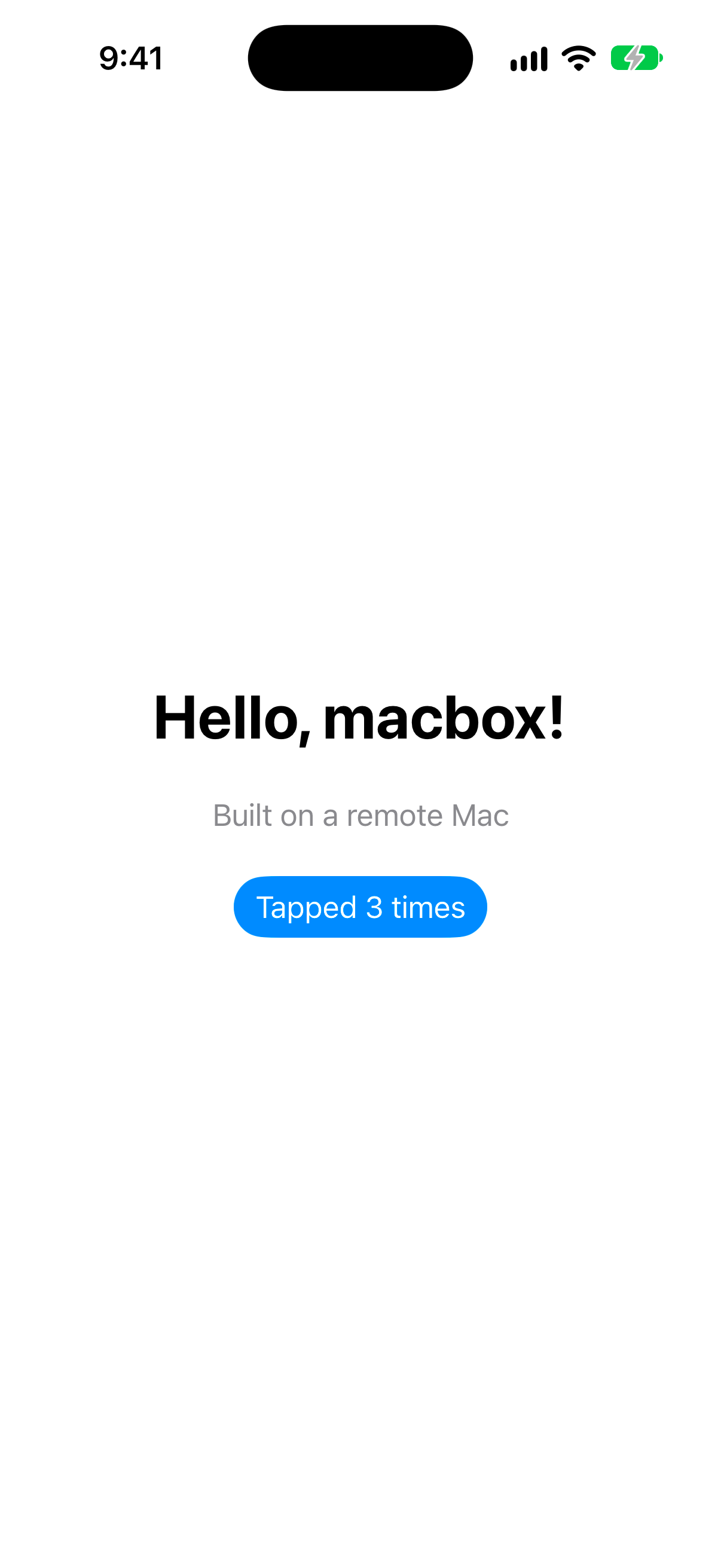
Three tests passed, the button read “Tapped 3 times,” and macbox status right after showed 2 billed minutes for the whole loop: $0.10.
What macbox doesn’t do
It doesn’t do code signing, TestFlight, App Store upload or physical devices yet, and it doesn’t support React Native, Flutter or Expo. It’s for building, testing and running native iOS apps in the Simulator while you develop. For shipping, pair it with Xcode Cloud. For React Native, use EAS.
What it costs for how much you’ll use it
Most comparisons list monthly prices. What matters is how much Mac time you’ll actually use. macbox charges $0.05 per Mac minute, only while a build, test, screenshot or live session runs, and the leftover part of a minute is free, so a job under a minute costs nothing. Here’s what billed time costs (my arithmetic, from the prices above):
| Billed Mac time per month | macbox | MacinCloud Managed | MacStadium M2.S | rentamac M4 |
|---|---|---|---|---|
| 1 hour | $3 | $25 | $109 | $119 |
| 10 hours | $30 | $25 | $109 | $119 |
| 40 hours | $120 | $25 | $109 | $119 |
Roughly, macbox matches MacinCloud’s $25 plan at about 8 hours of billed time a month, MacStadium’s $109 at about 36 hours, and rentamac’s $119 at about 40. If you use a Mac all day, every day, rent one by the month. If your agent builds and tests in short bursts and stays well under those crossover points, per-minute costs far less; in the run above, both builds finished in under a minute (39 s and 21 s) and were free.
AWS doesn’t fit the table: every time you start a Mac host you pay for at least 24 hours, $15.60 on mac2 or $29.52 on an M4. A 30-minute session on macbox is $1.50.
Two more notes. An agent’s billed time is much shorter than your working day, because macbox only bills while a job runs, not while you think or the agent writes code. And new macbox accounts start with $10 of credit, about 200 Mac minutes, so you can measure your own number before paying anything.
Shipping to the App Store from Windows
Publishing needs the Apple Developer Program, $99 a year, which includes TestFlight and App Store distribution (Apple). Apple’s upload paths are Xcode, Transporter (a macOS app), altool (run through Xcode), the App Store Connect API, and Xcode Cloud (Apple).
From Windows, the practical routes are EAS Submit for Expo apps, a rented Mac you sign in to and upload from, or Xcode Cloud, which runs builds and uploads on Apple’s Macs once a workflow is set up (and setting it up takes Xcode on a Mac, so a few days of a rented Mac covers it).
Which option should you pick?
- You want to try iOS development once: don’t buy anything. Start with the free credit on a per-minute service or Codemagic’s free minutes.
- You’ll work in Xcode by hand most days: rent a Mac by the month. MacinCloud’s $25 managed plan is the cheapest monthly plan in the table above ($4 a day pay-as-you-go if it’s only a few days); a dedicated plan if you need admin rights.
- A coding agent writes your Swift: give it a Mac it can call. That’s what macbox is for.
- You need builds, signing and TestFlight on every push: Xcode Cloud, GitHub Actions or Codemagic.
- You’re building with React Native or Expo: EAS Build and EAS Submit.
- You were going to set up a VM or a Hackintosh: read Apple’s license first, then pick one of the above.
If a coding agent writes your Swift, try it now: tell it “Set up macbox by following https://api.macbox.build/guide/”. The $10 of starting credit covers about 200 Mac minutes. For more on the agent side, see Claude Code for iOS.
FAQ
Can I download Xcode for Windows 11 or Windows 10?
No. There is no Windows version of Xcode for any Windows release. Anything offered as an “Xcode for Windows” download is not Xcode from Apple.
How do I get Xcode on Windows?
You can’t install it. The closest you’ll get is using Xcode on a rented Mac over remote desktop, or having a remote Mac run Xcode’s build tools for you, which is what macbox and CI services do.
Is there an Xcode alternative for Windows?
Not one that builds standard Xcode projects on Windows alone. You can write Swift in VS Code and compile Windows programs with the swift.org toolchain, and xtool is an experimental option for Swift packages. Building an Xcode project still happens on a Mac somewhere: rented, in CI, or in a service like EAS.
Can I develop iOS apps on Windows?
Yes, if you separate writing from building. You can write the code on Windows and build, test and run it on a remote Mac, a CI service or EAS. You can’t do the whole thing on Windows alone.
Can I use Xcode for free?
Xcode itself is free on a Mac. Publishing to the App Store and TestFlight needs the $99/year Apple Developer Program.
Can I publish to the App Store without a Mac?
Not without a Mac somewhere in the loop, but you don’t have to own one. EAS Submit uploads Expo apps from Expo’s cloud, and Xcode Cloud uploads native apps from Apple’s, once you’ve set up its workflow in Xcode.
Does Swift work on Windows?
Yes, for Windows and command-line programs: swift.org ships Swift 6.4.1 for Windows. It doesn’t include the iOS SDK, which only ships with Xcode.
Can Claude Code or Codex build an iOS app from Windows?
They can write it. To build, test and run it, they need a Mac they can reach with commands. With macbox, the agent runs macbox build and macbox test from WSL and gets the results back, as in the run above.